Payment QR code: free ways to get paid with one scan
A payment code should do one thing: send the payer to a payment page you control, over https, with the right account and the right amount. It should never collect a card number inside the code, and it should never be the only thing standing between a customer and a stranger's bank account. Here is how to set one up safely.
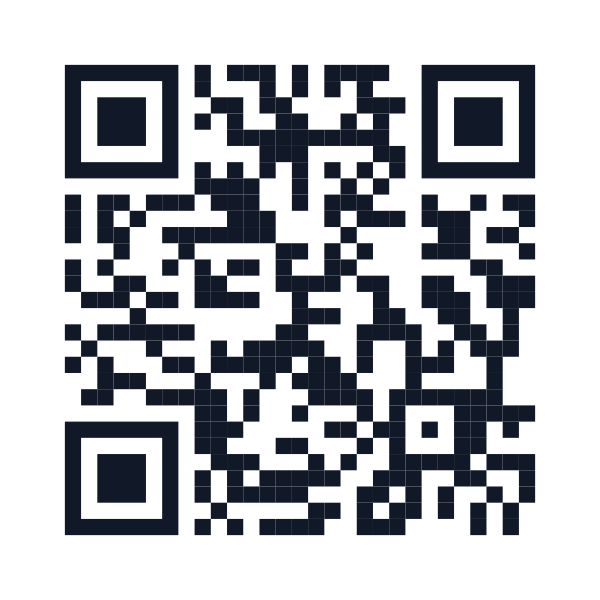
example with your own PayPal name; the structure is identical.What a payment code can be
- A link to your payment page. A PayPal.me address, a request-money link, or a checkout link from a payment provider. The payer sees a normal, branded page with the amount filled in.
- A bank transfer reference. In parts of Europe, a standard format (often called EPC or Girocode) lets a banking app prefill the account, the amount and a reference. The payer still confirms inside their own bank app.
- A wallet link such as UPI in India, where the code opens the payer's app with the recipient and amount set.
- Not a card form. A code that opens a page asking for a card number is either unnecessary — your provider already does that safely — or a scam.
In every case the code holds a link. It never holds an account balance, a card number or a PIN, and any code that appears to ask for those should be treated as hostile.
The sticker problem, and how to defend against it
QR stickers are easy to print and easy to cover. Criminals have been caught sticking their own code over the real one at parking meters, in shops and on restaurant tables, so the payment goes to them. If you take payment by scan, treat the sticker like cash on the counter.
- Put the code where a member of staff can see it. A code on a table at the back of a cafe is an open invitation.
- Print it inside a design, not as a loose sticker. A code printed onto a laminated stand or a window graphic is much harder to cover convincingly.
- Check it daily. Ten seconds at opening: is the code the one you printed, and is the price list still next to it?
- Teach the payer to read the destination. "It should show our business name before you confirm" is one sentence that defeats the whole attack.
- Keep a second payment route. A card terminal or a bank transfer for anyone who hesitates.
Make the code
- Get the payment link from your provider: log in, choose "request money" or "payment link", set the amount and currency. Copy the link it gives you.
- Open the link on your own phone, logged out, and confirm the recipient name and amount shown on the page.
- Paste it into the payment generator and download the SVG.
- Print one copy and scan it. The payment page must show your business name, not a personal account you forgot about.
- Send yourself one small real payment from another device. Confirm the money arrives, the fee is what you expected, and the receipt carries your business name.
Fixed amounts or an open amount
A fixed amount removes a typing mistake: a coffee-and-cake code charges 25. But it breaks when prices change, because the amount is inside the code. An open code lets the payer type the amount, which suits tips and variable bills.
A good compromise: an open code on the counter for general payment, and a fixed amount only for a single product you will not reprice soon. Print the amount in words next to the code either way, so the payer can see what they are about to pay.
Where to put it
- At the counter, facing the customer — not on a wall behind the till where nobody points a phone.
- On an invoice or a quote, with the reference written out so the payment can be matched.
- On a tip card, where an open amount makes more sense than a fixed one.
- At a market stall, printed on a rigid board that cannot be quietly swapped.
- Never on a moving vehicle or a dark doorway where nobody can watch it.
Use at least 3 cm, matte, and include the provider name in text: "Pay by PayPal" or "Bank transfer". The name reassures the payer and makes a swapped sticker obvious.
What not to accept
- A page that asks for a card number, expiry and CVV after a scan. Close it. Your provider's own checkout is the only place card details belong.
- A code that asks for your banking PIN or a one-time code by message. No legitimate payment works that way.
- A "refund" code sent by a stranger. Refunds never require the receiver to scan and pay.
Mistakes worth avoiding
- A personal account on a business counter. It confuses customers, complicates refunds and mixes your tax records.
- The wrong currency. A link built in dollars charges dollars; the payer's bank adds a conversion fee and blames you.
- Testing only with the owner's phone. Test with a phone that has never paid you before.
- A code with no receipt. If your provider does not email a receipt, offer one, or the customer has no proof of payment.
- Assuming a scan means paid. The money is only there when the provider confirms it. Check before handing over goods.
Frequently asked questions
How do I make a payment QR code for free?
Paste a payment link you already own - PayPal, a bank payment page or a Bitcoin address - into the free generator. It runs in your browser, adds no watermark and keeps no record of the link.
Is a payment QR code safe?
The code itself is just a link. The risk is the destination: a swapped sticker, or a page that asks for card details it should not need. Check the recipient name before confirming, and keep the code where staff can see it.
Can I put card details inside the code?
No, and you should never accept a code that contains them. Card details belong on your provider's encrypted checkout page, not in a pattern anyone can read.
Do payment codes work internationally?
They open the page, but paying across borders depends on the provider, the currency and local rules. State the currency and any fees in text beside the code.
Read next: How to scan a QR code on iPhone (and Android) in seconds — The built-in way on both systems, and what to do when it will not read.